Story & Content
A brief in, a shot list out, and the pictures to go with it.
A brief in, a structured story out.
What it is for
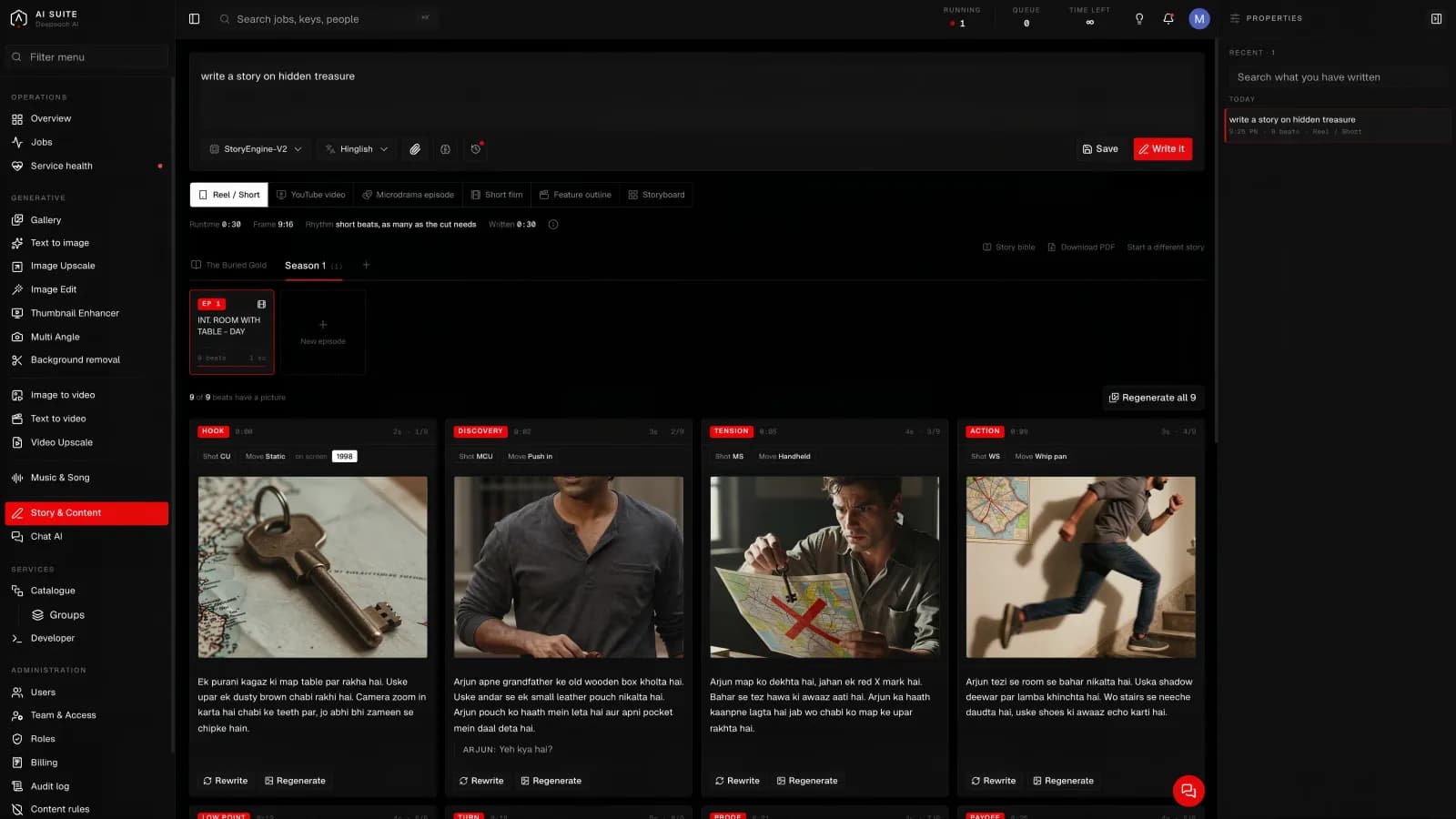
Planning before making. You describe what you want to say and it returns the thing broken into scenes and shots: what each one shows, in what order.
Useful when you are making a video and need a plan, when you need to show a client the shape of something before it exists, and when you have an idea but not a running order.
What you give it
A brief. What it is for, who it is for, roughly how long, and the point you are making. A paragraph is plenty.
A sixty second advert for a running shoe, aimed at people who run before work, ending on the product.
What you get back
A story broken into scenes and shots, each described, in order. From there you can generate the pictures for each shot and take them on into Image to video.
The model
| Model | What it does |
|---|---|
| Qwen (deepsoch-llm) | Reads your brief and returns it as a structured story: scenes, shots, and what each one shows. |
It takes your brief and nothing else.
How long it takes
Faster than the picture tools. It is writing, not rendering.
Good to know
- It is a first draft, and it should be. The value is in having a structure to argue with rather than a blank page.
- Tell it the length. A shot list for sixty seconds and one for five minutes are different documents.
- Say what the point is. The briefs that produce useful output are the ones that state what the viewer should think at the end.
Getting more out of it
Work in two passes: get the structure right first, then generate the pictures. Making images for a running order you are about to change is the most common way to waste time here.