Music & Song
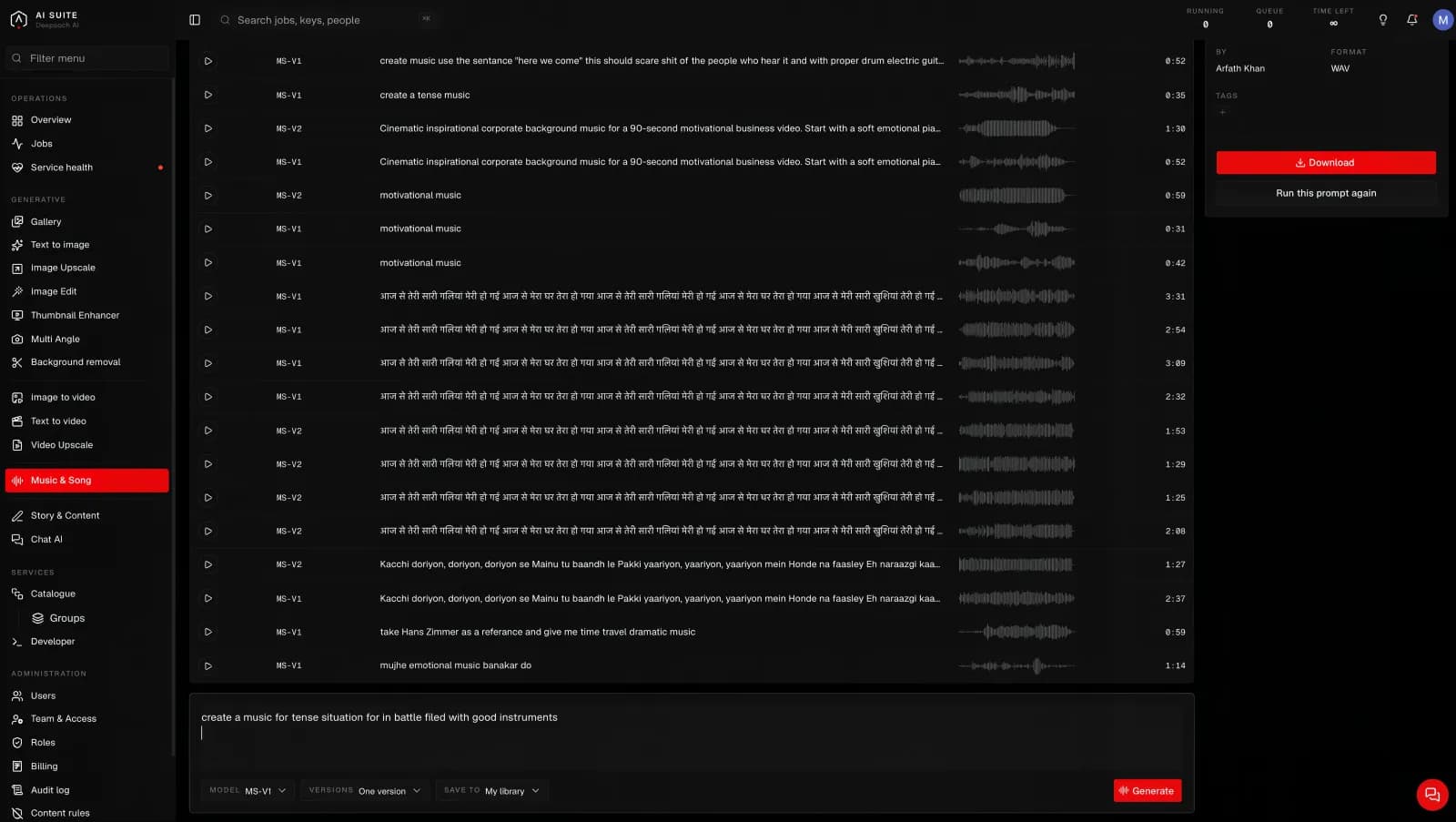
Describe a mood and get a finished piece of music back, with or without vocals.
A description in, a piece of music out.
What it is for
Music for a video, a background bed for an advert, a theme, or a full song with vocals. Made to be used, not to be a demo.
What you give it
A description. What it should sound like and what it is for.
Tense orchestral build for a battlefield scene, drums, no vocals.
Warm acoustic pop with a female vocal, hopeful, for a product advert.
Say whether you want vocals. If you do not mention them, say so explicitly: write "instrumental only". It is the single most common surprise.
What you get back
Several takes from one press, so you can pick. Each is a finished audio file you can download and drop into an edit.
The models
| Model | What it does |
|---|---|
| MS-V1 | Makes music from a description. |
| MS-V2 | The newer one. Try this first. |
Both take a description and nothing else. There is no length or shape to set, which is why this page is priced per song rather than by the second.
How long it takes
A few minutes, and it does not depend on how long the piece is.
What it costs
This is the one tool priced per song rather than by the second. You are told the price before you press and that is what a finished song costs, however long the machine took. If it fails, you pay nothing. See What it costs.
Good to know
- Lyrics are approximate. If exact words matter, expect to run it more than once, and check what it actually sings.
- Describe the use, not just the genre. "For the last thirty seconds of an advert, resolving" gets you something more usable than "uplifting pop".
- Instrumental beds are more reliable than vocal songs. If the music is sitting under a voiceover, ask for instrumental.
Getting more out of it
Name an instrument, a tempo and a mood, and say what should happen across the piece: "starts sparse, drums enter halfway, big at the end". Structure is the thing most descriptions leave out and the thing that makes a track feel written rather than generated.